![GS Logo-GS platform.png]](https://support.govspend.com/hs-fs/hubfs/GS%20Logo-GS%20platform.png?height=25&name=GS%20Logo-GS%20platform.png)
Overview
The Opportunities module is your personalized signal engine for discovering and acting on the most relevant government opportunities—without running dozens of manual searches. Instead of spending time combing through bids, meetings, contracts, and spending data, this signal-driven module automatically surfaces and prioritizes opportunities for you using:
-
GovSpend’s internal data (bids, meetings, contracts, spending)
-
Public web signals (agency initiatives, leadership changes, pilot programs)
-
Your personalized profile (products, services, competitors, agencies, regions)
The result is one ranked, actionable feed that brings the right opportunities directly to you.
Access
To check whether you have access, click here. If you’re directed to the Opportunities module, you already have access. If you are not taken to the Opportunities module, please request access using the form below:
How Opportunities Works
1. Your Profile Powers Everything
Your profile allows GovSpend to proactively identify relevant opportunities on your behalf. Click here to review your SLED profile.
2. Signals Are Continuously Monitored
GovSpend monitors signals from two main sources:
GovSpend Data
-
Recent open bids
-
Expiring contracts
-
Meeting mentions (of products or competitors)
-
Spending and competitor activity
Public Internet Signals
-
Agency initiatives
-
Pilot programs
-
Leadership or contact changes
-
Public announcements tied to procurement activity
These signals are analyzed and matched against your profile automatically.
There are two places where you can review and update the signals you want to track:
From your My Profile Page:
-
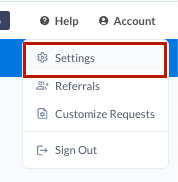
From the Account menu, open your user profile via the Settings--SLED Profile
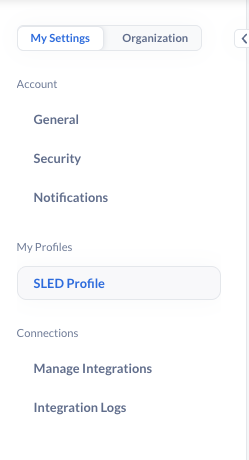
- Within your SLED Profile, scroll to the bottom to find your Signal Settings
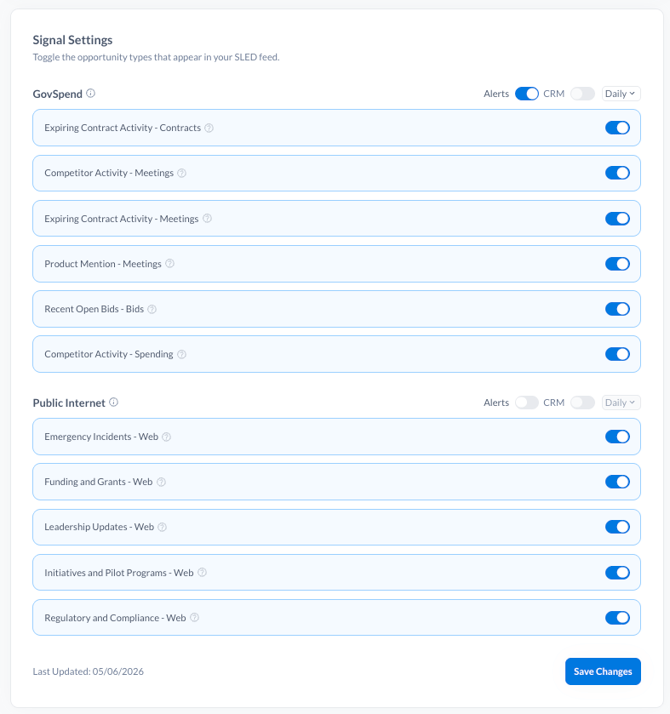
- Toggle on the signals that you want to track within GovSpend and across the Public Internet
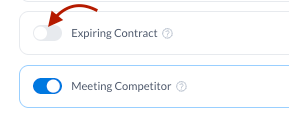
- Note that if you make changes to the signals you want to track, it can take up to 4 hours for those changes to reflect on your Opportunities module
From the Opportunities module "Settings":
-
Navigate to Opportunities via the link in the left menu
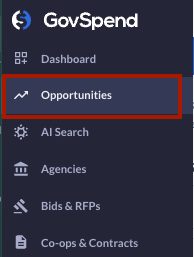
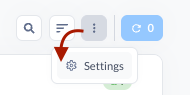
- Find and select the 3-dot menu in the top right of your screen
- Select "Settings"
- Review and update your signals from within the modal that opens up
- Click "Save Settings" once complete
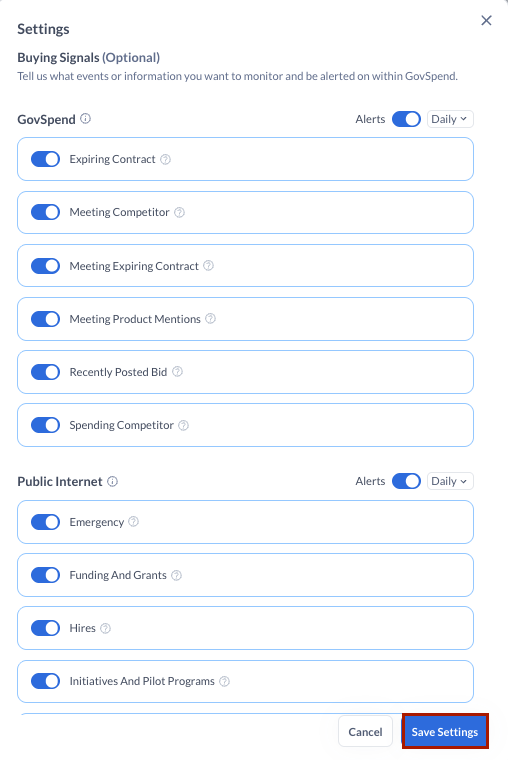
- Any changes to your signal selections you make here will automatically update on your My Profile page
How to Get the Most from Opportunities:
-
Review your Opportunities module regularly — it’s designed to be your daily starting point.
-
Keep your user profile updated so opportunities stay aligned with your goals.
-
Use opportunity explanations to prioritize where your team should focus first.