![GS Logo-GS platform.png]](https://support.govspend.com/hs-fs/hubfs/GS%20Logo-GS%20platform.png?height=25&name=GS%20Logo-GS%20platform.png)
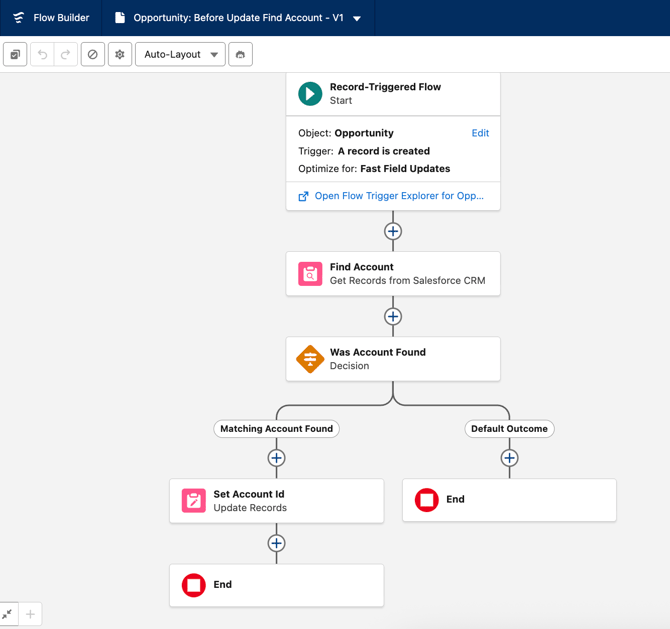
Salesforce Flow Outline
-
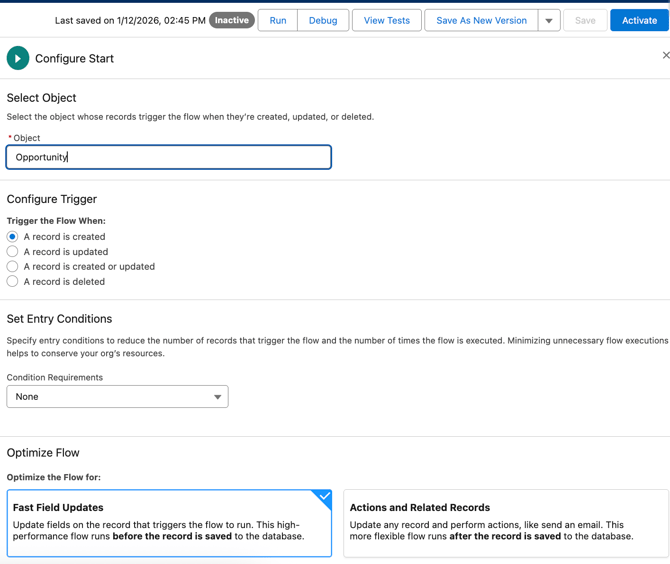
Create a Record-Triggered Flow
-
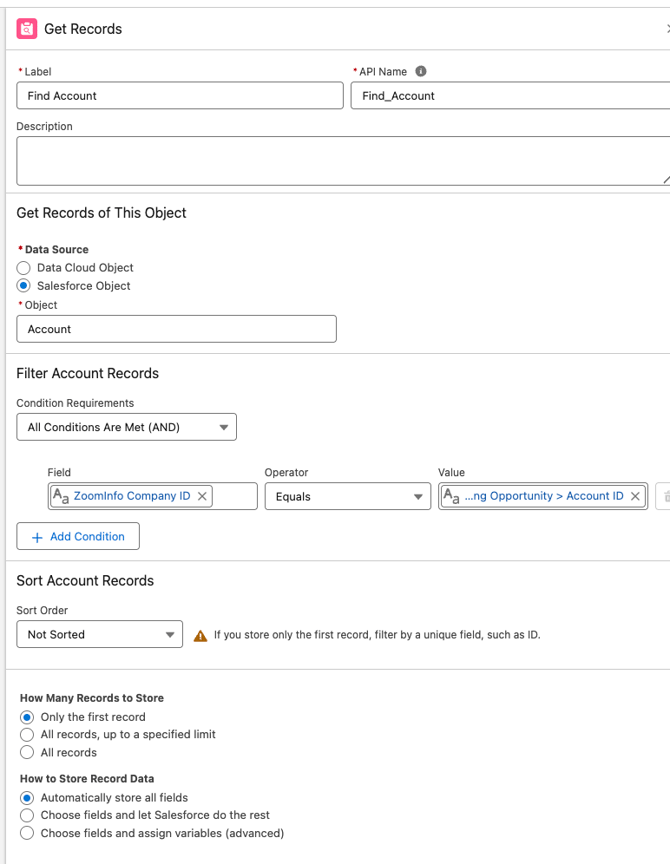
Find Account: This step uses Agency ID (shown as Zoom Info ID in the screenshot below) as the lookup field driving the match from Opportunity to Account Record.
-
Was Account Divergent Step
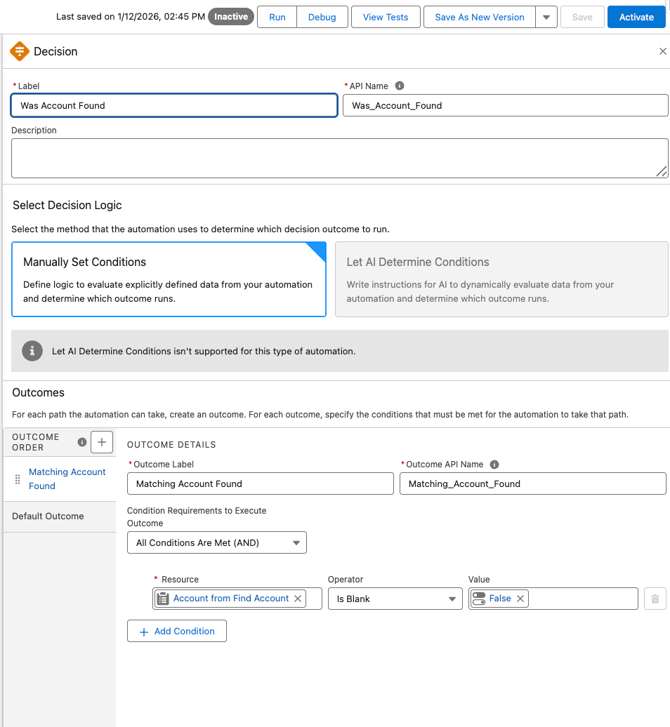
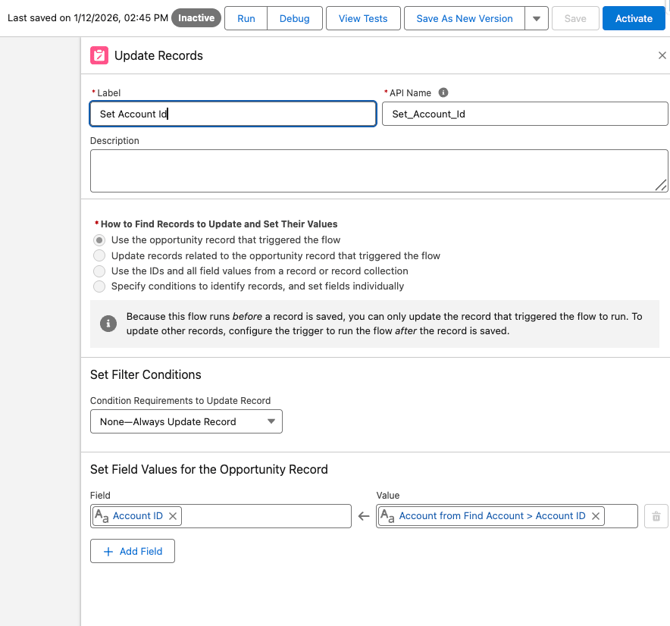
- Update Record