![GS Logo-GS platform.png]](https://support.govspend.com/hs-fs/hubfs/GS%20Logo-GS%20platform.png?height=25&name=GS%20Logo-GS%20platform.png)
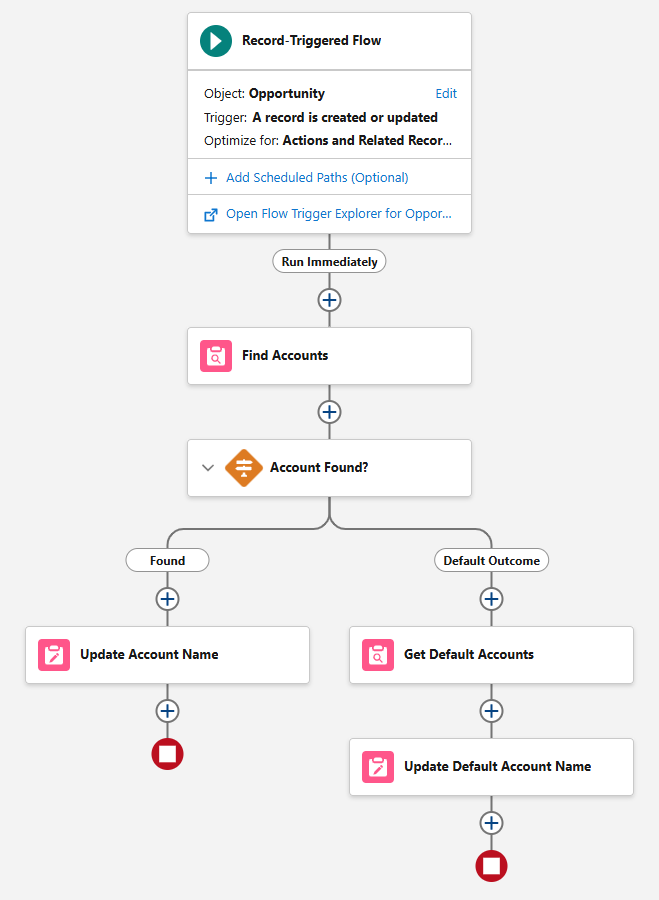
Salesforce Flow Outline
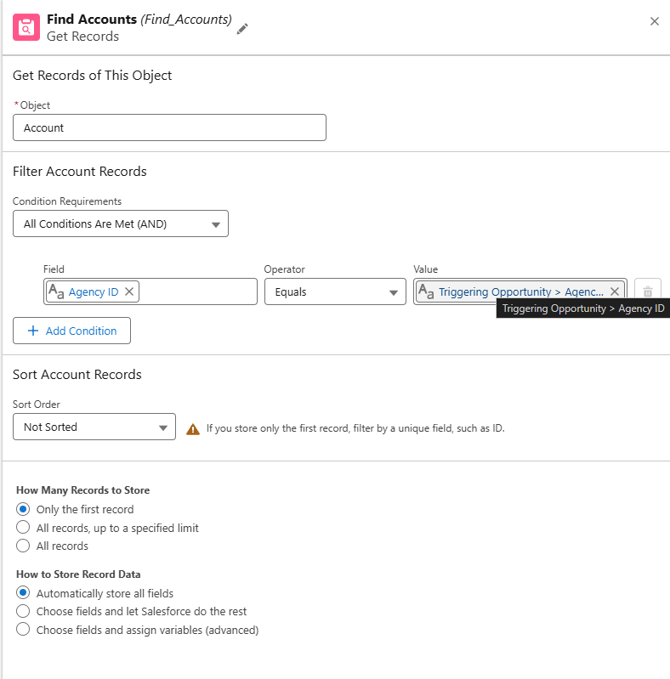
- Find Account: This step uses Agency ID (shown as Agency ID which is a Custom fieldin the screenshot below) as the lookup field driving the match from Opportunity to Account Record.
-
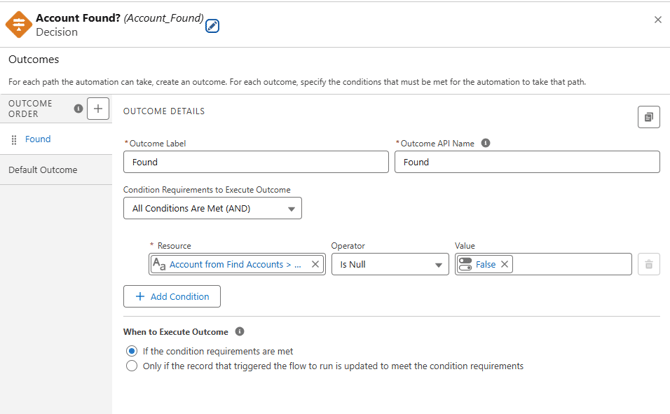
Was Account Divergent Step
- Update Record
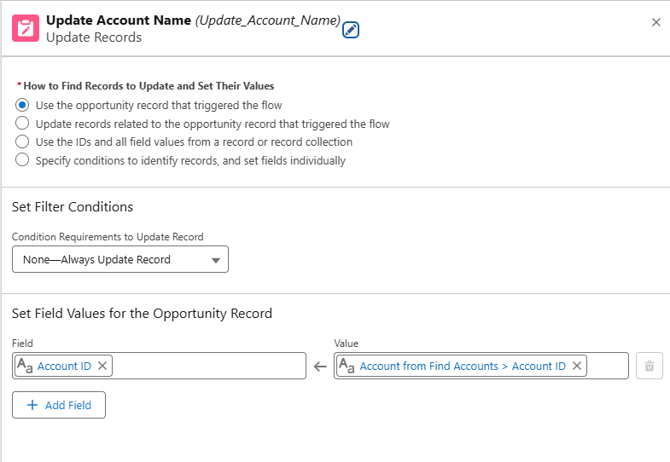
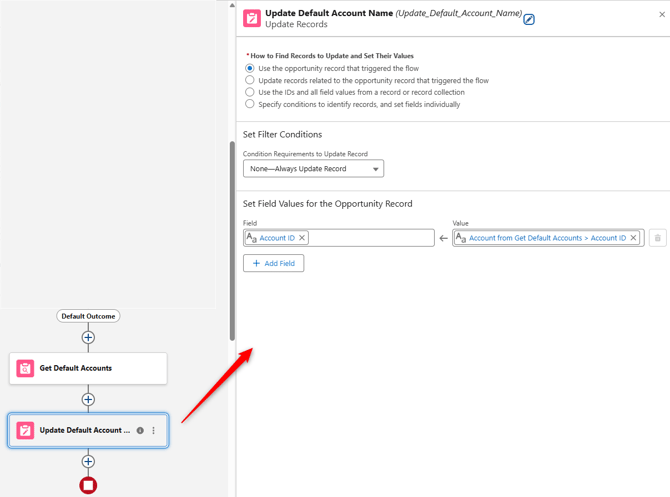
- Default Outcome > Get Default Accounts
- GovSpend does not have an agency with "911" as its Agency ID. Please populate "911" in the Agency ID field of the Salesforce Account where you would like these orphan records added.
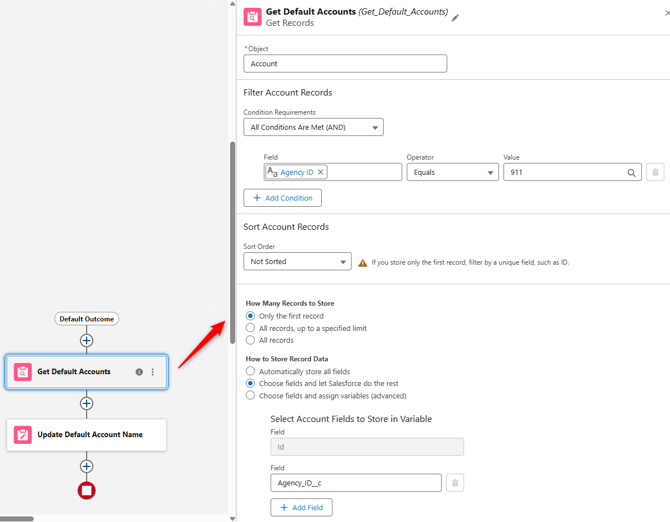
- GovSpend does not have an agency with "911" as its Agency ID. Please populate "911" in the Agency ID field of the Salesforce Account where you would like these orphan records added.
- Default Outcome > Update Default Account Name