![GS Logo-GS platform.png]](https://support.govspend.com/hs-fs/hubfs/GS%20Logo-GS%20platform.png?height=25&name=GS%20Logo-GS%20platform.png)
Key Features
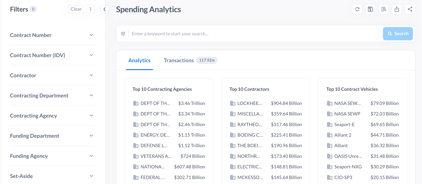
- Analytics Dashboard: View Top 10 charts for agencies, contractors, vehicles, set-asides, and NAICS codes.
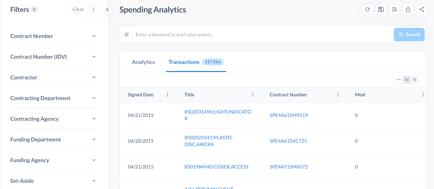
- Transactions View: Each contract modification (mod) is displayed as its own transaction.
- Advanced Filters: Includes filters for:
- Contract Number & IDV
- Contractor (vendor)
- Contracting & Funding Agencies
- Set-aside types
- Contract type
- NAICS & PSC codes
- Contract vehicles
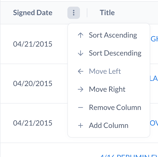
- Customizable Columns: Customize, sort and organize fields to customize views with fields like signed date or dollars obligated.
How It Works
- Navigate to Spending Analytics from the Federal Datasets menu.
- Enter keywords and apply filters.

- Review results in two tabs:
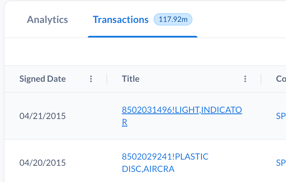
- Analytics Tab: High-level summary with Top 10 charts.
- Transactions Tab: Detailed list of award transactions matching search and filter criteria.
- Click a contract title or number to view the full contract record.

When to Use
Use Spending Analytics when you want to:
- Analyze federal spending trends.
- Query spending at a transactional level for maximum accuracy.
- Drill down with advanced filtering options.
- Get a visual overview of data through charts.
Key Benefit
This module provides a detailed and data-driven view of federal contract spending.