![GS Logo-GS platform.png]](https://support.govspend.com/hs-fs/hubfs/GS%20Logo-GS%20platform.png?height=25&name=GS%20Logo-GS%20platform.png)
Key Features
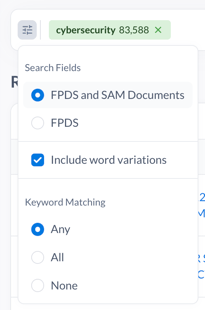
- Wider Net Search: Retrieves results where keywords appear in either contract titles (FPDS) OR related SAM solicitation documents.
- Keyword Flexibility: Users can toggle keyword matching between FPDS, SAM documents, or both.
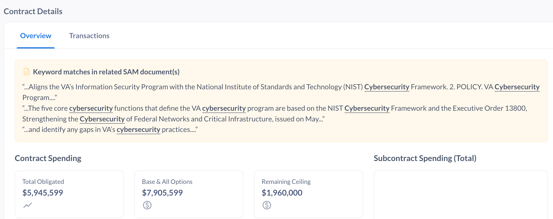
- SAM Insight: Displays a "Keyword matches in related SAM documents" box when applicable.
- Mod 0 Results: Shows one result per contract (original award), rather than all modifications.
How It Works
- Enter keywords in the search bar.

- Select whether to search FPDS, SAM documents, or both.
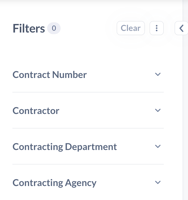
- Filter as needed.
- Review results that include contracts where the keyword appears in either source.
- Open a contract to view full details, including all associated transactions.
When to Use
Use the New Federal Contracts Search when you want to:
- Understand why a purchase occurred using solicitation context.
- Discover additional opportunities not visible in contract titles alone.
- Conduct broader market research with expanded keyword matching.
Key Benefit
This module tells the story behind the contract by combining contract data with solicitation insights.
Sending Contract Records to AI Notebook & Salesforce
-
Go to Federal Datasets in the left navigation
-
Click “Contracts”
-
Run a search, select records within search results and then click on the icons for “Add to CRM” or "Add to Notebook"

-
These features/icons can also be accessed from a Contract Detail record
-
What this means for you:
-
Quickly add Contracts as Opportunities/Leads in Salesforce
- Leverage AI in more GovSpend Federal content
-