![GS Logo-GS platform.png]](https://support.govspend.com/hs-fs/hubfs/GS%20Logo-GS%20platform.png?height=25&name=GS%20Logo-GS%20platform.png)
- Opportunity Alerts & CRM Integration Settings
- New Location for Alert & Integration Settings: We've moved Opportunity alert and CRM integration controls from the Buying Signals section of your SLED/Federal User Profile to the Notifications page in Settings, making it easier to manage your preferences in one place.
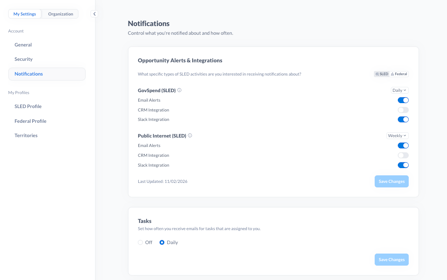
- New Location for Alert & Integration Settings: We've moved Opportunity alert and CRM integration controls from the Buying Signals section of your SLED/Federal User Profile to the Notifications page in Settings, making it easier to manage your preferences in one place.
-
- Separate SLED & Federal Settings: Use the SLED/Federal toggle to configure Opportunity alerts and CRM integrations independently for SLED and Federal Opportunities.
- GovSpend & Web Signals: You can continue to manage alerts and CRM integrations separately for GovSpend and web-based Opportunity signals.
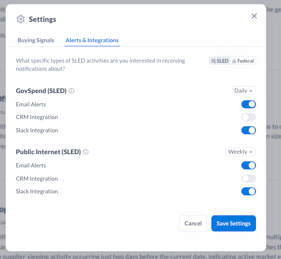
- Updated Opportunity Settings: The Settings menu within Opportunities now includes a dedicated tab for alert and CRM integration configurations, with the ability to toggle between SLED and Federal settings.
-
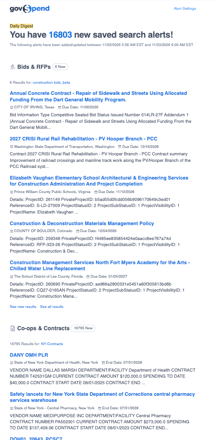
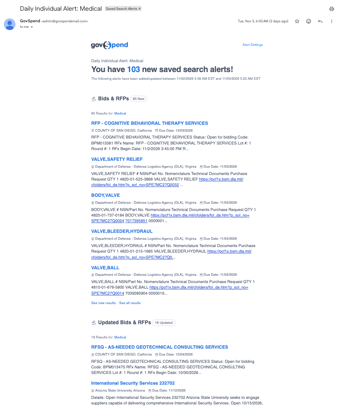
Refreshed Saved Search Alert Emails: Starting November 6, 2026, Saved Search alert emails will feature an updated layout, color scheme, and formatting. The searches and records included remain unchanged, and no action is required. You'll continue receiving your alerts as usual, just with a fresh new look.