![GS Logo-GS platform.png]](https://support.govspend.com/hs-fs/hubfs/GS%20Logo-GS%20platform.png?height=25&name=GS%20Logo-GS%20platform.png)
Pavilion
Our Pavilion integration highlights real-time agency intent, pre-RFP leads, and cooperative purchasing activity. These are exclusive signals sourced from real buyer activity on Pavilion, not a public posting. Click here to learn more about Pavilion.
How It Works
- Discover Pavilion Signals in GovSpend
Pavilion signals appear directly alongside your other search results in your opportunity feeds.- Navigate to your SLED Profile page or Opportunity Settings
- Within the "Buying Signals" section, scroll to find the "Third Party" category
- Use the toggle to turn on the Pavilion signal and then click "Save Changes/Settings"
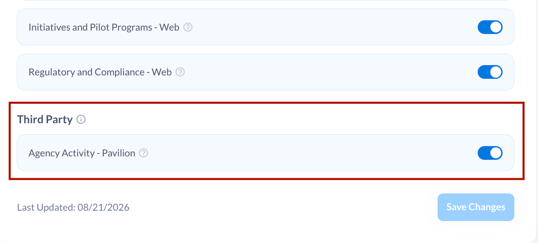
-
- With the next generation of new opportunities (likely within 24 hours) you will start to see Pavilion opportunities appear in your feed
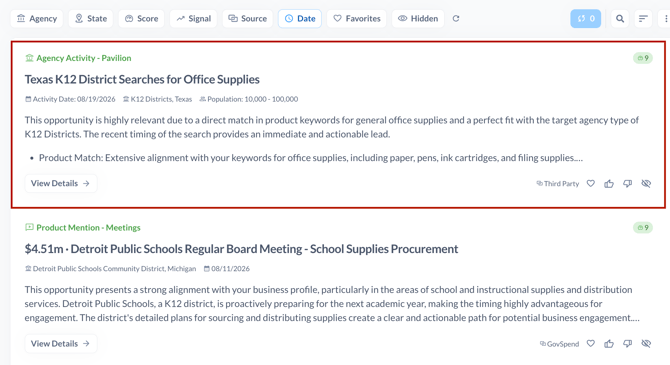
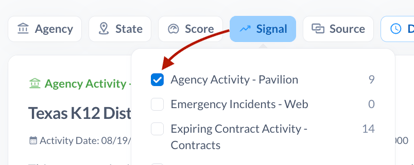
- You can use the "Signal" filter to specifically review your Pavilion signals
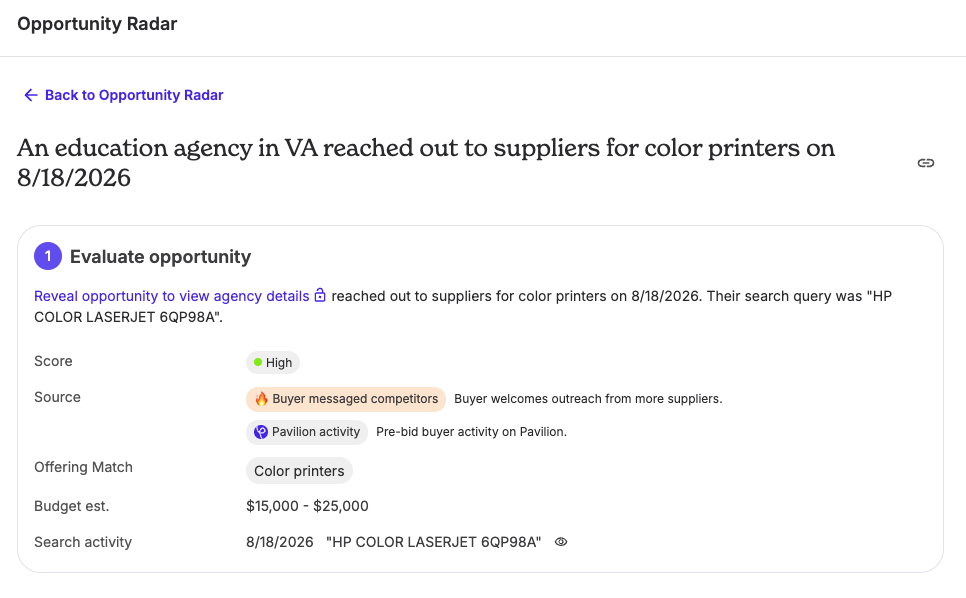
- Click "View Details" to see the full summary and relevance summary and access a link to view more
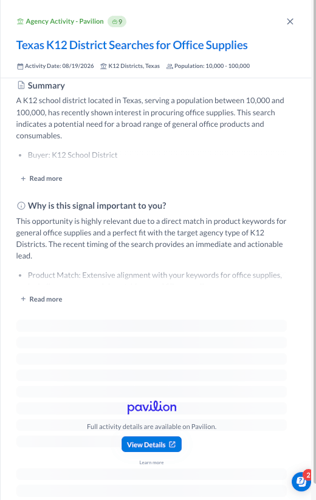
- Note that the Pavilion signals are curated based on your SLED profile settings
- Click to View on Pavilion
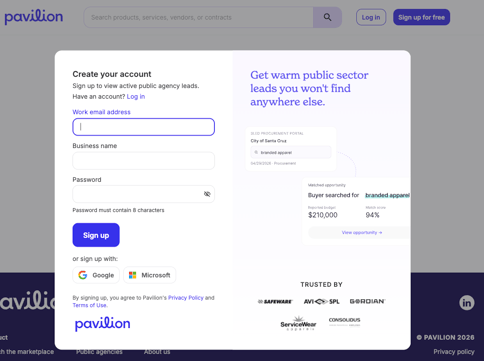
Click the "View Details" link on any Pavilion signal to jump directly to the opportunity on Pavilion’s platform to review full buyer details and context.- The first time you click the link you will be prompted to create an account
-
- Once you have logged into Pavilion your Organization will have full access to 5 leads for free. After that you will still be able to access additional information about the signal in Pavilion, but some features will not be accessible without a paid subscription.
Managing Your Pavilion Account
To view full opportunity details on Pavilion, you will need a Pavilion account. As mentioned above, you will be prompted to create a free account when you click "View Details" from a Pavilion signal.
For details on account options, feature access, or subscription plans, visit Pavilion's website.