![GS Logo-GS platform.png]](https://support.govspend.com/hs-fs/hubfs/GS%20Logo-GS%20platform.png?height=25&name=GS%20Logo-GS%20platform.png)
📚 Review:
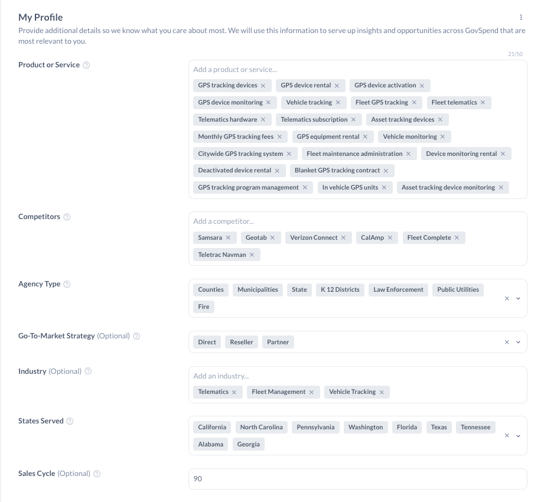
1. Review your user profile to ensure that your detailed profile settings are customized to you.
-
- For a full overview of how to review and setup your user profile, click here.
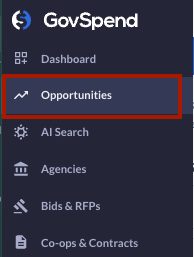
- Access the Opportunities module
- Use the "Opportunities" link in the left menu
- Note: If you do not see the link, reach out to your Sales contact for access!
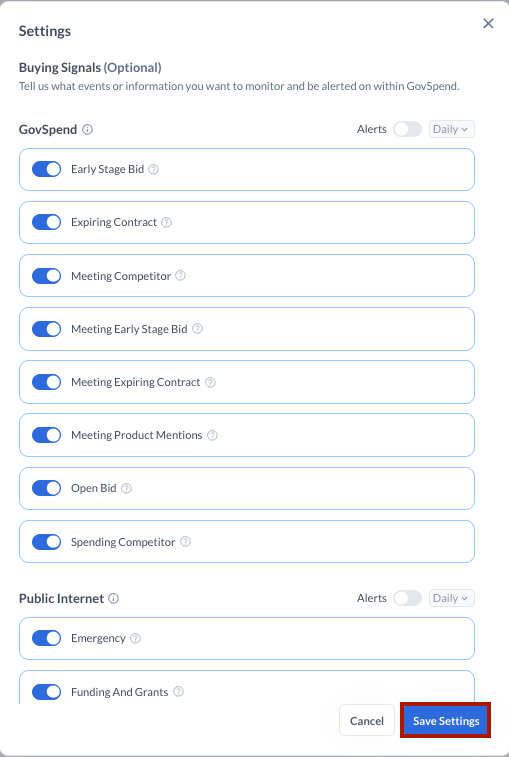
- Turn on your Buying Signals
- Using the 3-dot menu in the top right of Opportunities, select settings. Review the set of GovSpend and Public Internet buying signals and use the toggles to select the signals most relevant to you.
- Note that you can also update your Buying Signals via your My Profile page
-
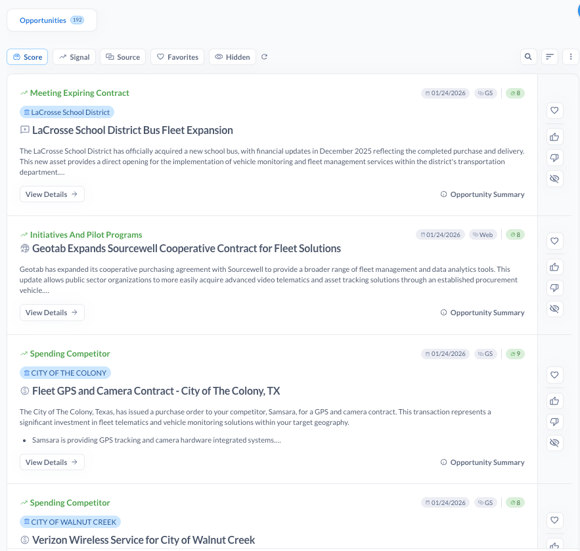
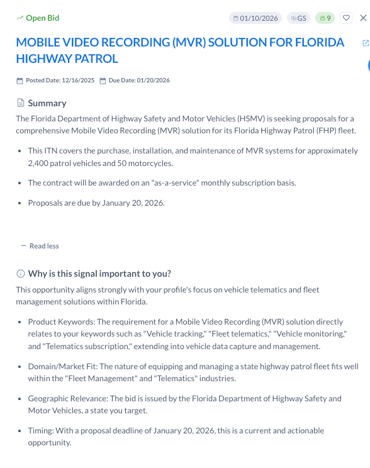
Review Your Personalized Opportunity Feed. Each Opportunity includes:
-
A short, customized overview summary
-
Why the opportunity is relevant to you
-
Opportunity type (meeting, bid, spending, contract, public web)
-
The key date for the record (Bid due date, Contract end date, Meeting date, etc.)
-
A relevance score indicating how closely it matches your profile, timing, and actionability
-
- Understand Why an Opportunity Matters. Click "View Details" to access:
- Additional context as to why the opportunity is relevant to you
- Attachments (when available)
- Other relevant opportunities at that agency
- Quick links to the GovSpend record, Agency Profile, and public web source
📝 Take Action:
2. Leverage multiple different methods to action an opportunity with ease...
-
-
Identify the best contact for an opportunity
-
Push opportunities directly into your CRM
-
Print action plans so your team has everything they need to win [Coming Soon]
-
Generate outreach emails or call scripts
-
Sett email alerts and additional integrations [Coming Soon]
-
✨ Extra Credit ✨
3. For specific use case examples of the Opportunities module, watch the videos below.
Surface Relevant Opportunities without Manual Search:
Start Your Day with an Actionable Lead List: