![GS Logo-GS platform.png]](https://support.govspend.com/hs-fs/hubfs/GS%20Logo-GS%20platform.png?height=25&name=GS%20Logo-GS%20platform.png)
Access
To check whether you have access, click here. If you’re directed to the Opportunities module, you already have access. If you are not taken to the Opportunities module, please request access using the form below:
Quick Start Guide
Find the right government opportunities — without searching.
The Opportunity module automatically surfaces and ranks the most relevant opportunities for you based on what you sell, who you target, and the signals you care about. Follow the below steps to get up and running with Opportunities quickly and efficiently!
-
Review your user profile to ensure that your detailed profile settings are customized to you.
- For a full overview of how to review and setup your user profile, click here.
- To remove states served from your opportunities filters and results, follow these steps after navigating to the My Profile page:
- In the My Profile section, find the States Served field
- Click into the field and remove a few states
- Click “Save Changes”
- Now navigate to your Opportunities Page from the left navigation filter
- Click the States filter
- You should no longer see Opportunities related to the states you removed from your profile
- In your profile, if you add back a state you removed that previously had associated Opportunities, those Opportunities will be available again
- Note: Removing states from your States Served filter does NOT regenerate new signals immediately, the goal is to cut out unwanted noise from the Opportunities view upon making the update before new signals are generated.
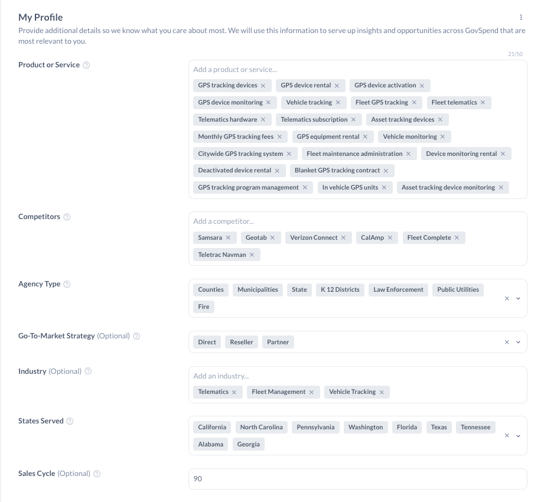
- Access the Opportunities module
- Use the "Opportunities" link in the left menu
- Note: If you do not see the link, reach out to your Relationship Manager for access!
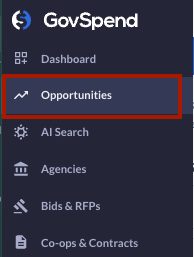
- Turn on your Buying Signals
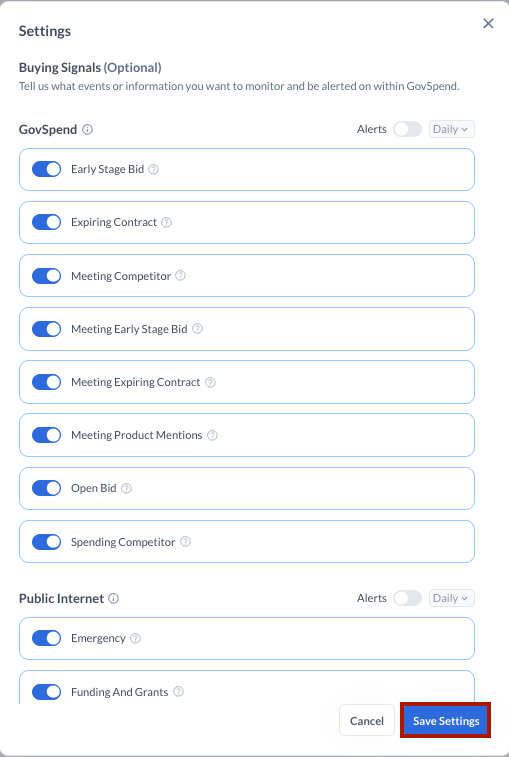
- Using the 3-dot menu in the top right of Opportunities, select settings. Review the set of GovSpend and Public Internet buying signals and use the toggles to select the signals most relevant to you.
- Note that you can also update your Buying Signals via your My Profile page
-
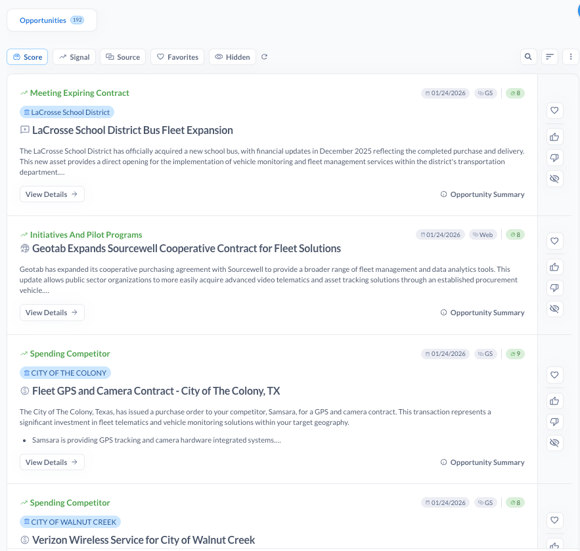
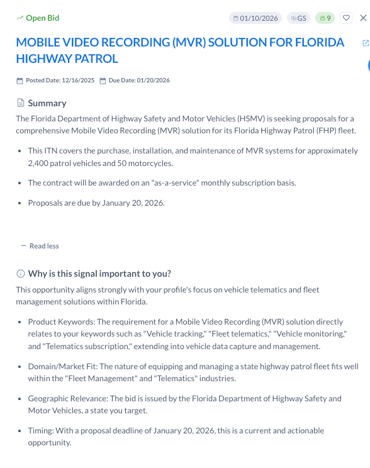
Review Your Personalized Opportunity Feed. Each Opportunity includes:
-
A short, customized overview summary
-
Why the opportunity is relevant to you
-
Opportunity type (meeting, bid, spending, contract, public web)
-
The key date for the record (Bid due date, Contract end date, Meeting date, etc.)
-
A relevance score indicating how closely it matches your profile, timing, and actionability
-
- Understand Why an Opportunity Matters. Click "View Details" to access:
- Additional context as to why the opportunity is relevant to you
- Attachments (when available)
- Other relevant opportunities at that agency
- Quick links to the GovSpend record, Agency Profile, and public web source
- Take Action! [Coming Soon] Leverage multiple different methods to action an opportunity with ease...
-
Identify the best contact for an opportunity
-
Push opportunities directly into your CRM
-
Print action plans so your team has everything they need to win
-
Generate outreach emails or call scripts
-
Sett email alerts and additional integrations
-
Opportunities Pro Tips:
-
Review your Opportunities module regularly — it’s designed to be your daily starting point.
-
Keep your user profile updated so opportunities stay aligned with your goals.
-
Use opportunity explanations to prioritize where your team should focus first.